Skip to content
Channel Manager Everything about Channel Manager Airbnb listing for your holiday homeBooking.com listing for your holiday homeVRBO integration for international holiday rentalsGoogle Travel integration for holiday rentalsLink Airbnb to Booking.com
Website Everything about Website Website builder for your holiday homeVoyando with your own websiteSecure online payments for guests
Rental Management Everything about Rental Management Automatic emailsFull guest registrationCurrent prices and calendarSmart locksRental calendarReviews
Marketing Everything about Marketing Voyando app
Features Pricing Blog Help Sign in
Try free for 30 days Book an advice call

How do I change the cleaning fees on Airbnb?

11 steps Updated

Adjust the cleaning charges for short and long stays via Channel Management in your Voyando dashboard and save the changes.

Step by step

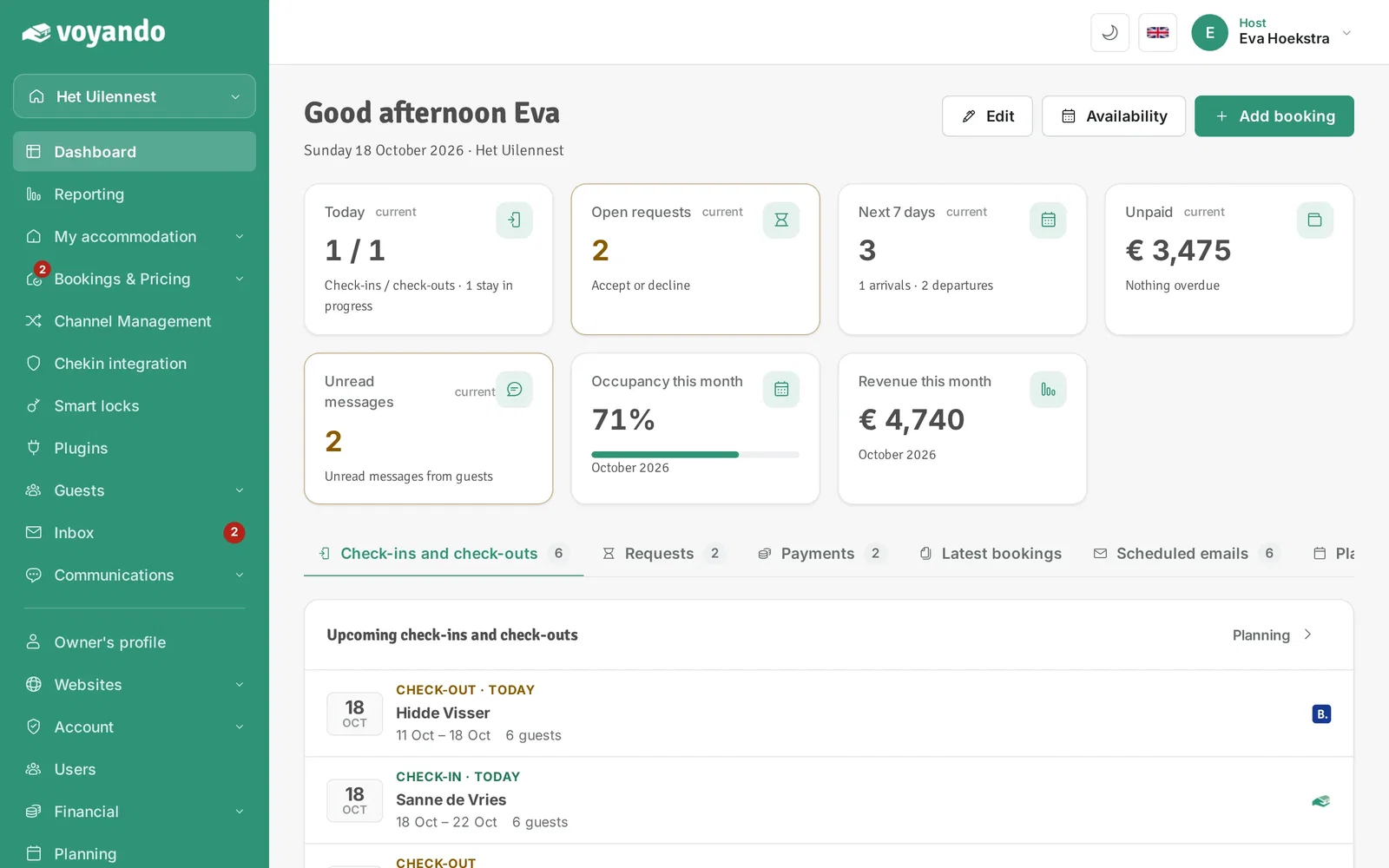
  1. Step 1: Go to your dashboard.

    How do I change the cleaning fees on Airbnb? – step 1: Go to your dashboard.
  2. Step 2: Click Channel Management in the menu.
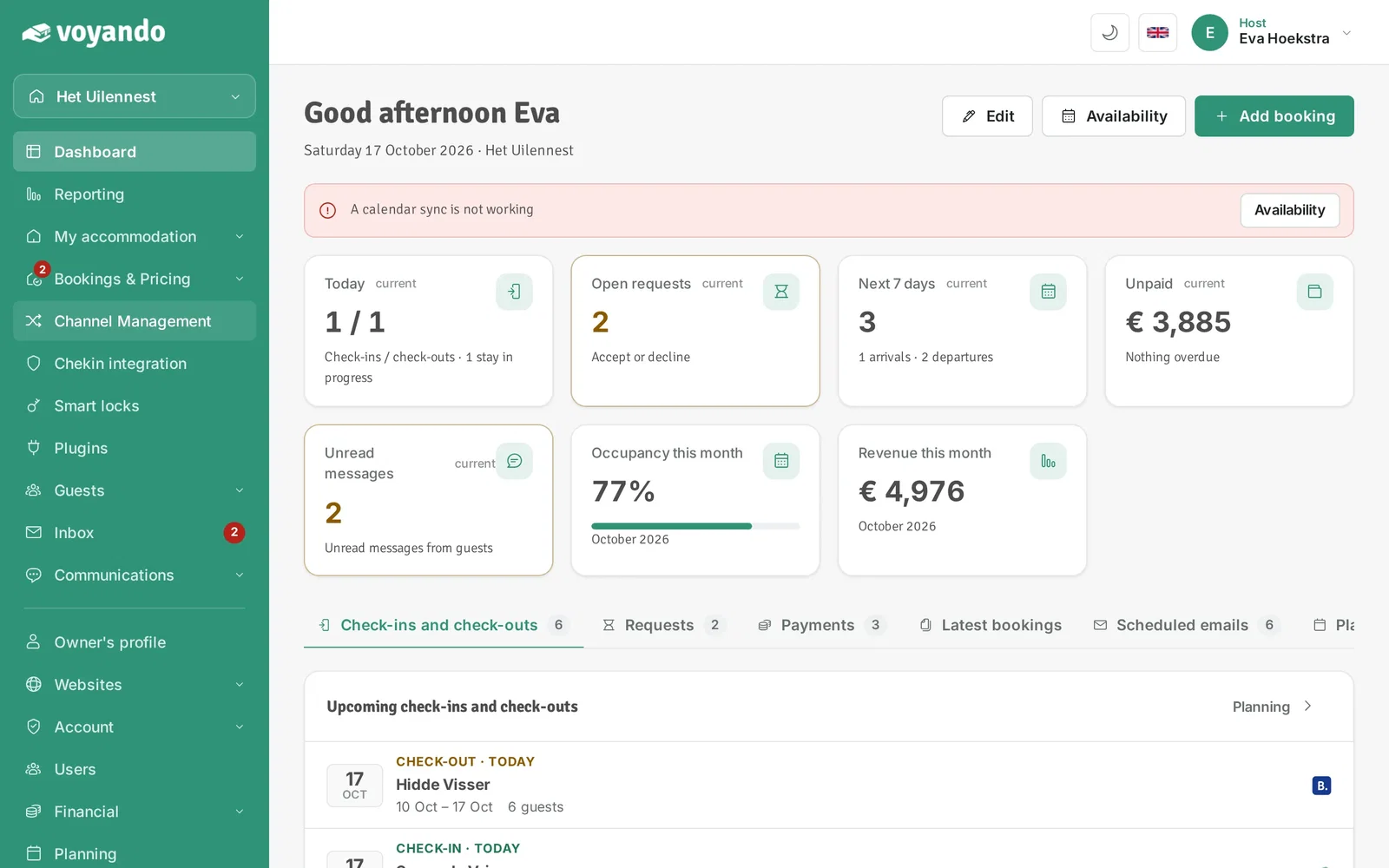
    How do I change the cleaning fees on Airbnb? – step 2: Click Channel Management in the menu.
  3. Step 3: Click Other platforms. This opens the channel manager itself, with the settings of your Airbnb listing.
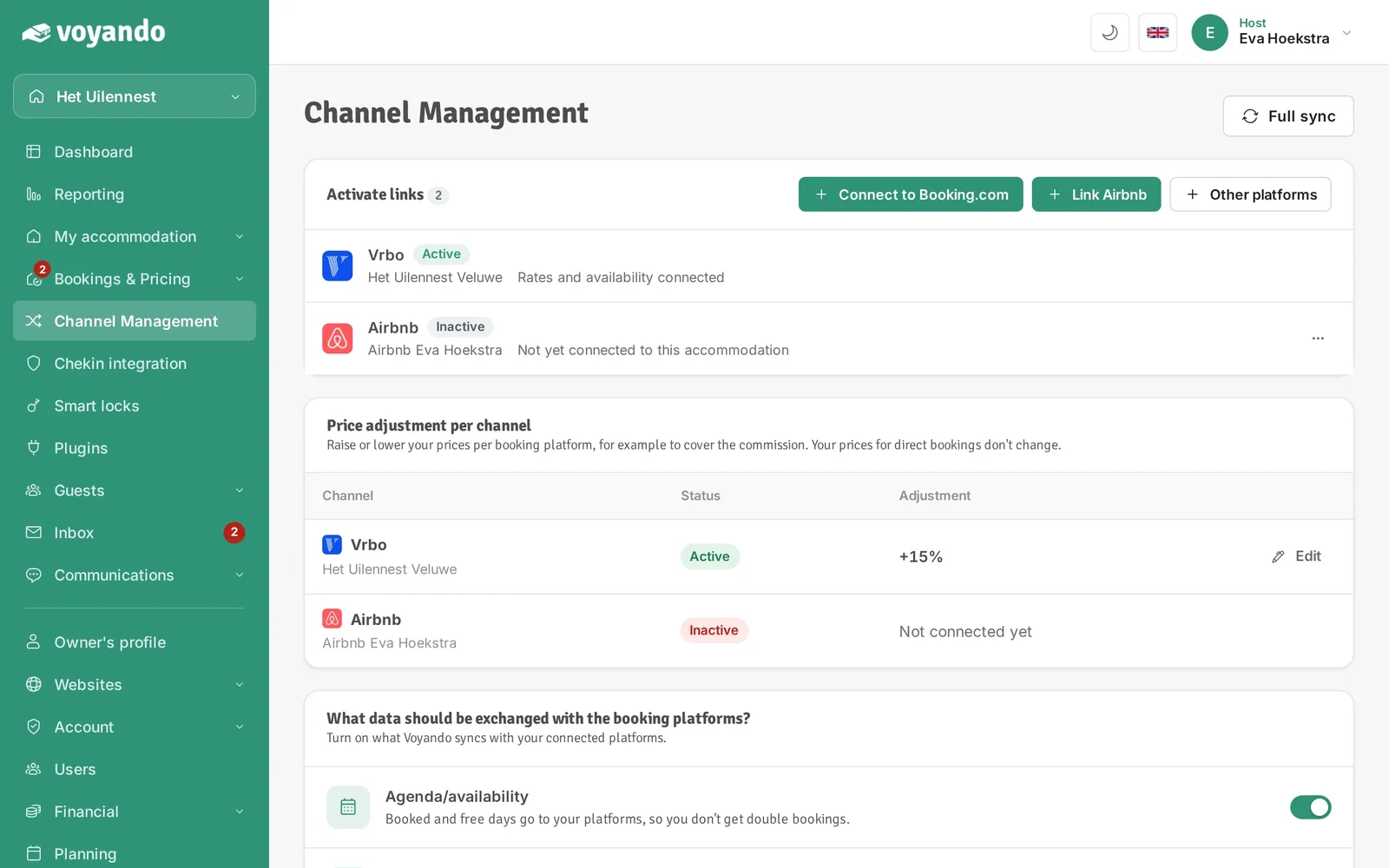
    How do I change the cleaning fees on Airbnb? – step 3: Click Other platforms. This opens the channel manager itself, with the settings of your Airbnb listing.
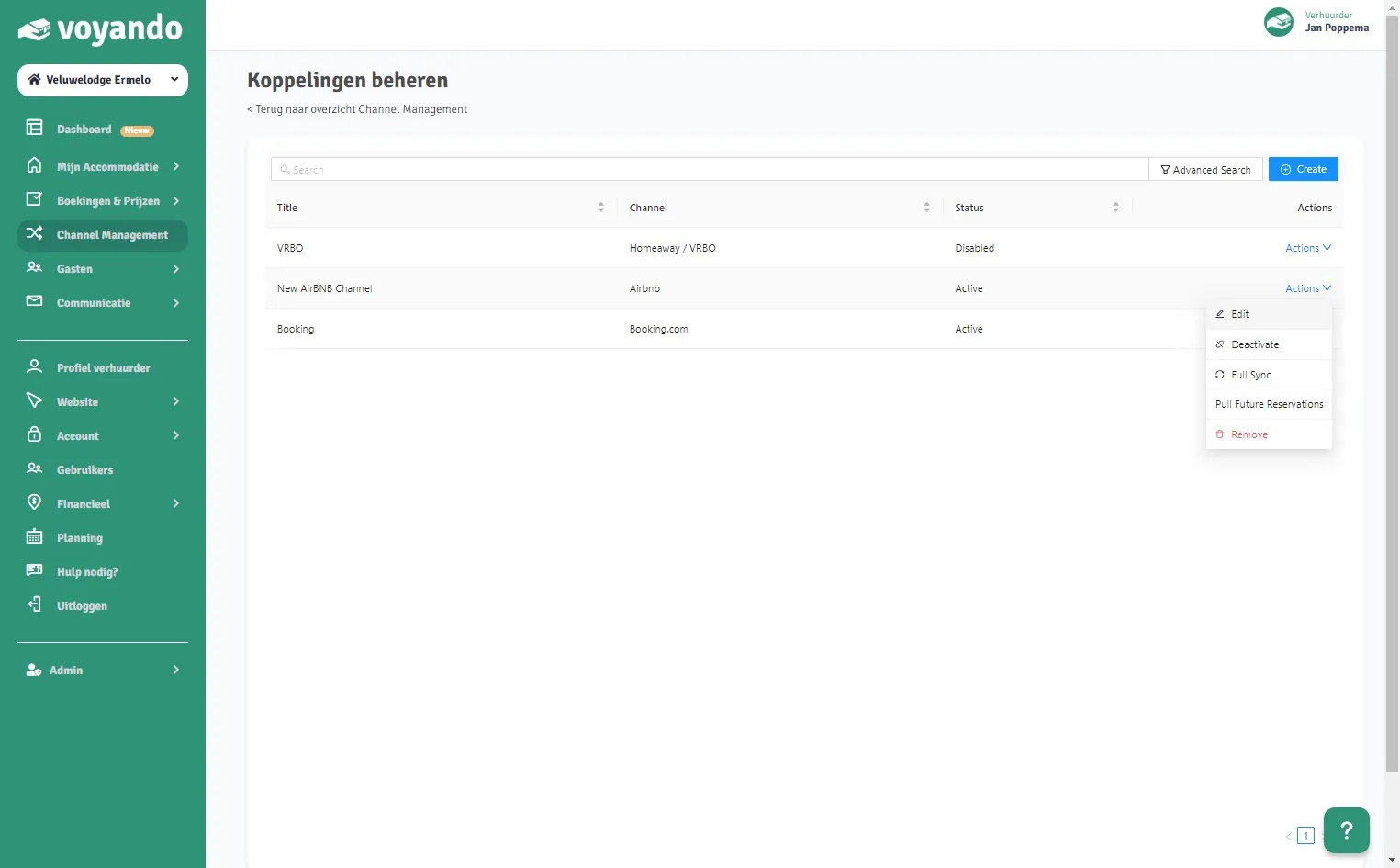
  4. Step 4: Click Actions next to the Airbnb connection.
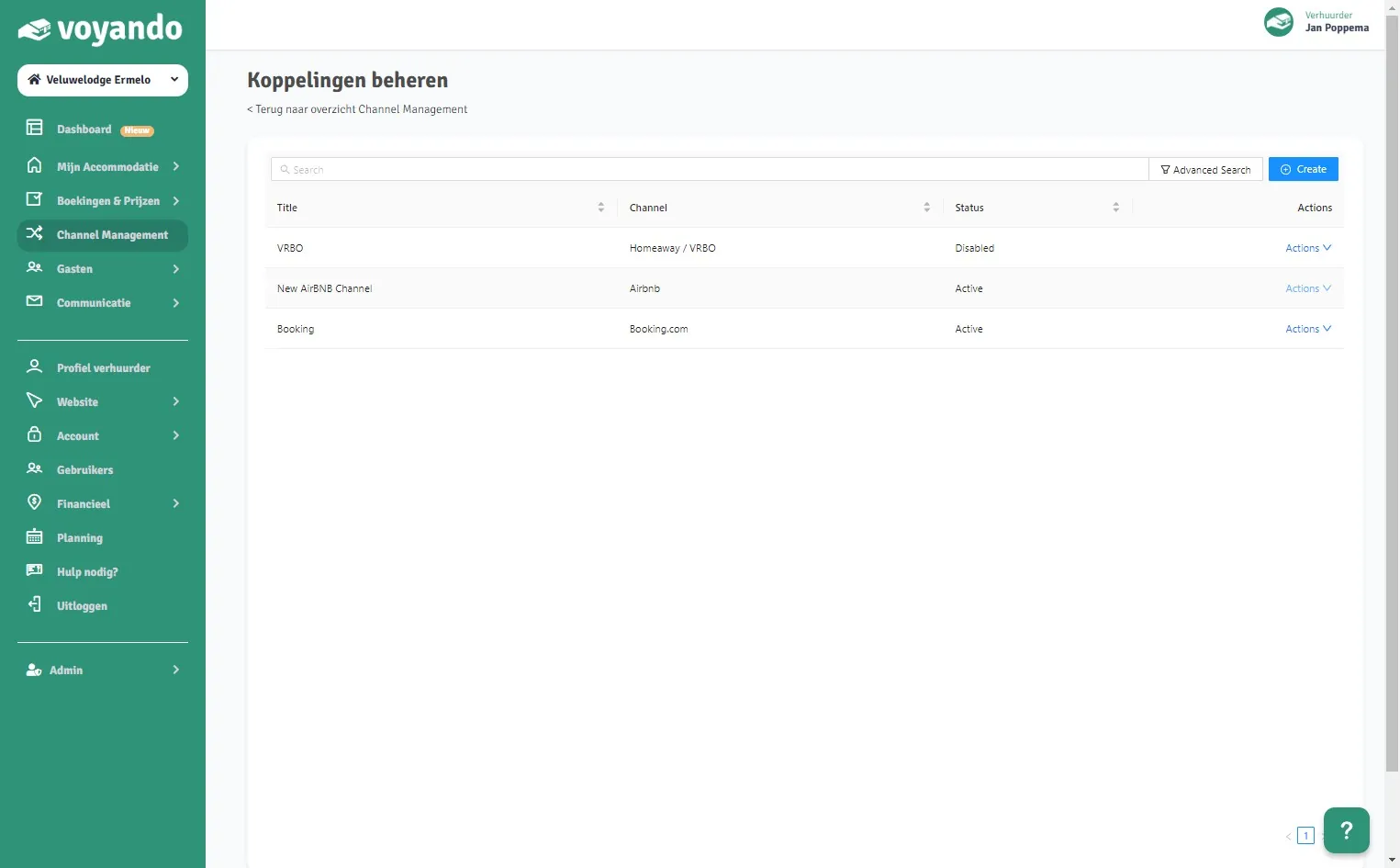
    How do I change the cleaning fees on Airbnb? – step 4: Click Actions next to the Airbnb connection.
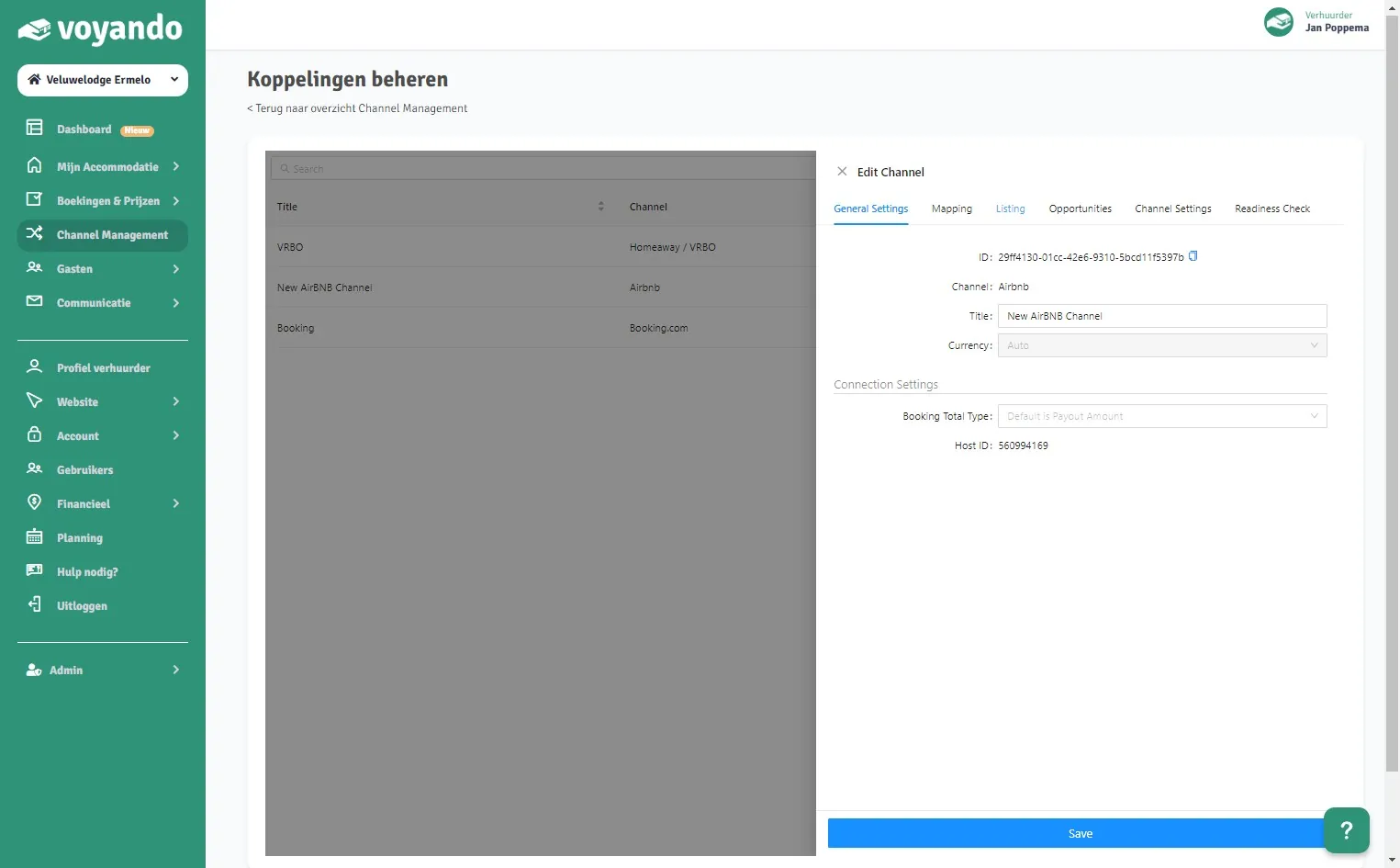
  5. Step 5: Click Edit.

    How do I change the cleaning fees on Airbnb? – step 5: Click Edit.
  6. Step 6: Click Listing.

    How do I change the cleaning fees on Airbnb? – step 6: Click Listing.
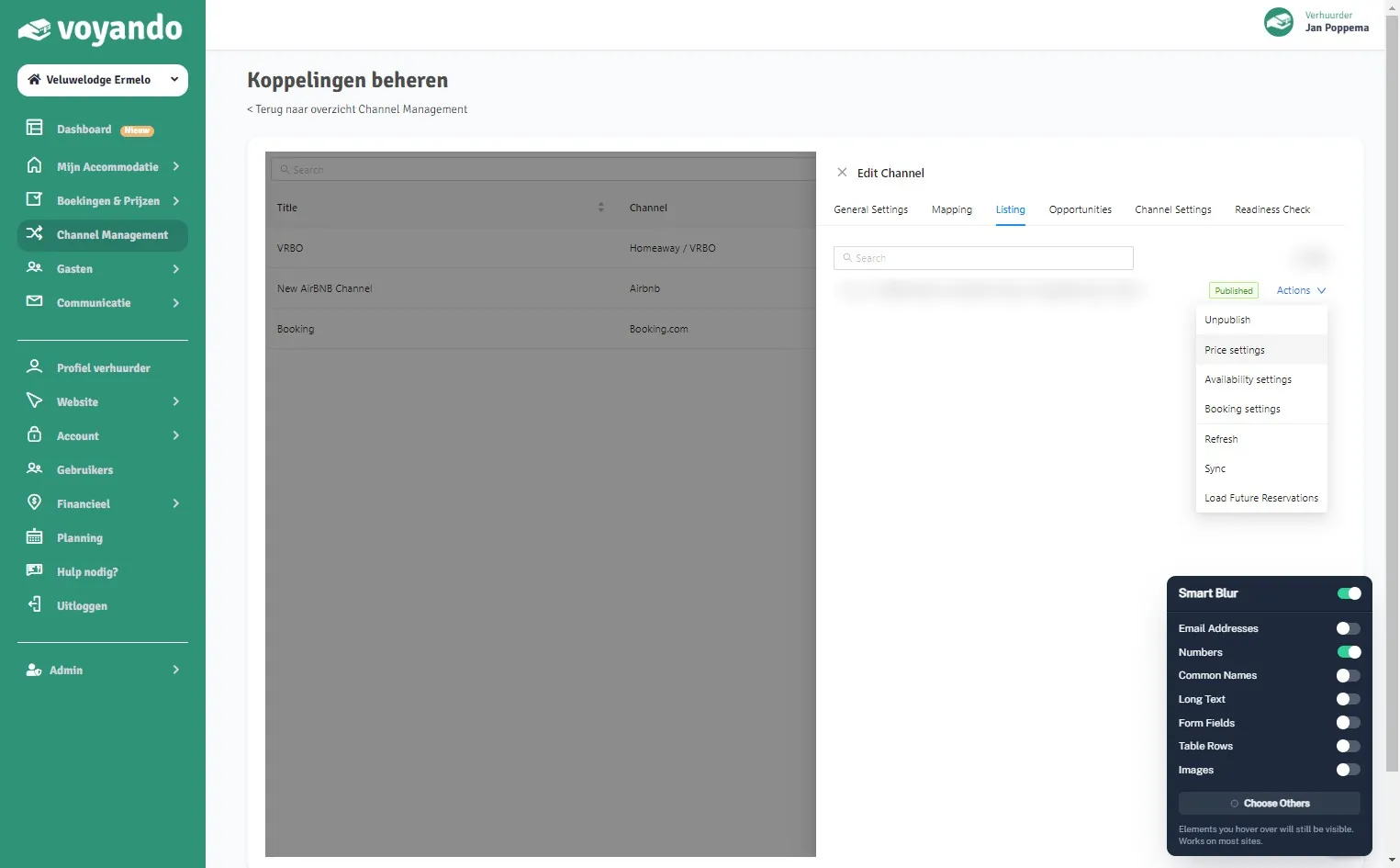
  7. Step 7: Click Actions next to the listing.
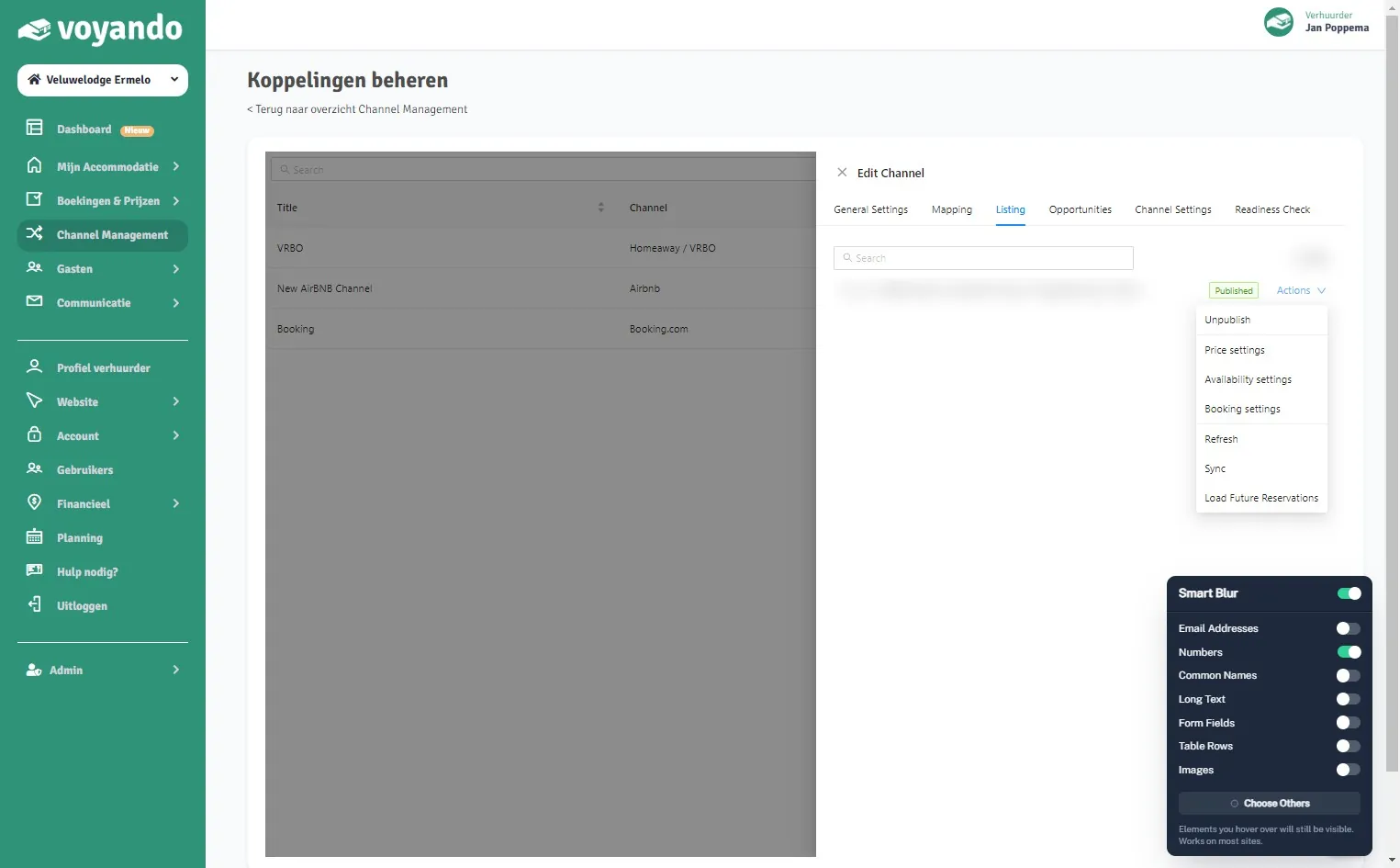
    How do I change the cleaning fees on Airbnb? – step 7: Click Actions next to the listing.
  8. Step 8: Click Price settings.

    How do I change the cleaning fees on Airbnb? – step 8: Click Price settings.
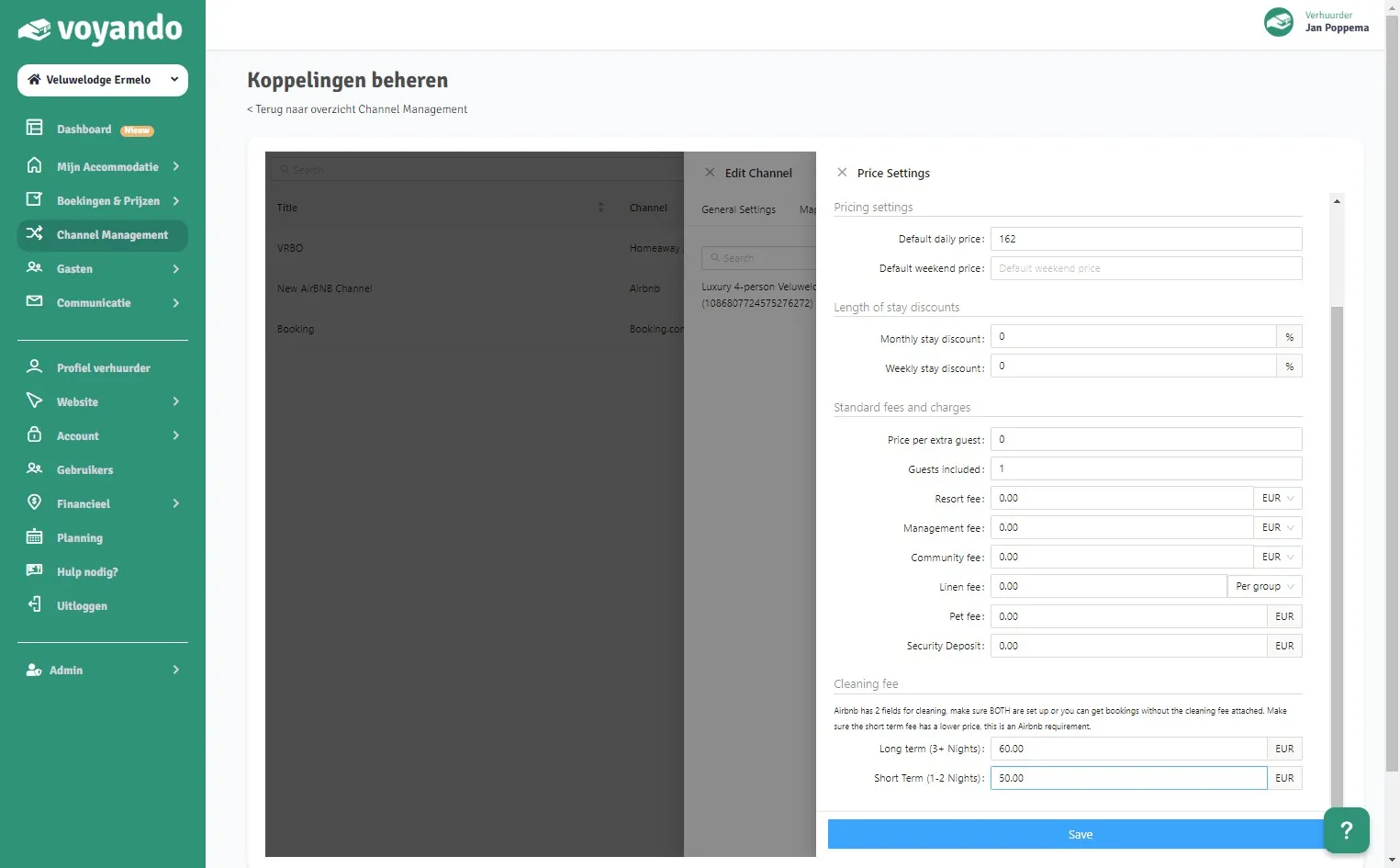
  9. Step 9: Under Long term (3+ Nights), enter the cleaning fee for stays of 3 nights or more.
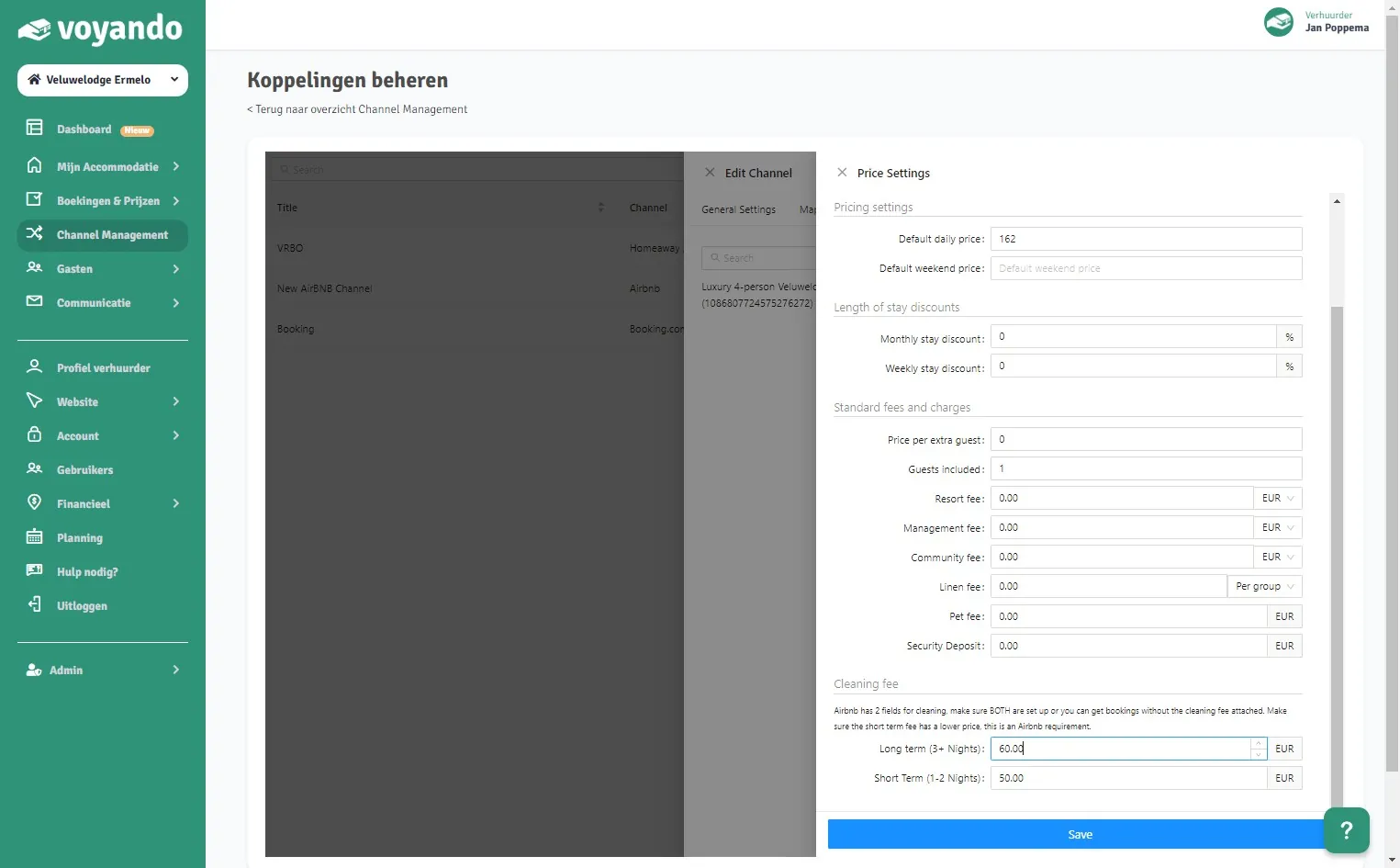
    How do I change the cleaning fees on Airbnb? – step 9: Under Long term (3+ Nights), enter the cleaning fee for stays of 3 nights or more.
  10. Step 10: Under Short Term (1-2 Nights), enter the cleaning fee for 1 or 2 nights. It must be at least 1 cent lower than the long-stay fee.
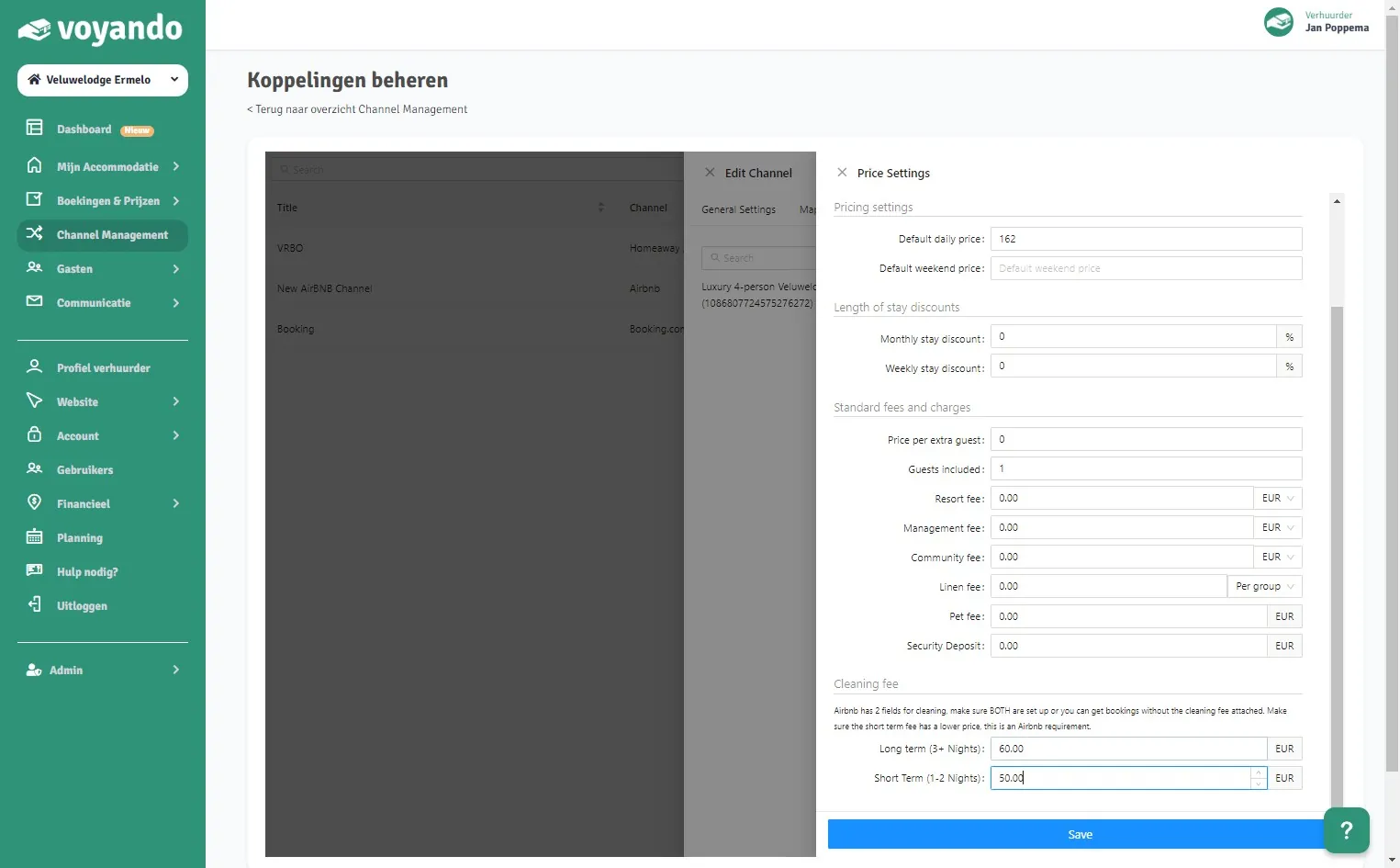
    How do I change the cleaning fees on Airbnb? – step 10: Under Short Term (1-2 Nights), enter the cleaning fee for 1 or 2 nights. It must be at least 1 cent lower than the long-stay fee.
  11. Step 11: Click Save.

    How do I change the cleaning fees on Airbnb? – step 11: Click Save.
Try for free Demo
Free webinar

Earn up to 15% more with your accommodation

Watch our free webinar with practical tips for more direct bookings and a better price. Leave your email address and you can watch straight away.

Or try Voyando right away 30 days free.