Skip to content
Channel Manager Everything about Channel Manager Airbnb listing for your holiday homeBooking.com listing for your holiday homeVRBO integration for international holiday rentalsGoogle Travel integration for holiday rentalsLink Airbnb to Booking.com
Website Everything about Website Website builder for your holiday homeVoyando with your own websiteSecure online payments for guests
Rental Management Everything about Rental Management Automatic emailsFull guest registrationCurrent prices and calendarSmart locksRental calendarReviews
Marketing Everything about Marketing Voyando app
Features Pricing Blog Help Sign in
Try free for 30 days Book an advice call

How do I sync an external calendar manually?

8 steps Updated

You can quickly synchronise your iCal link via the dashboard by going to Bookings & Prices and selecting the ‘Synchronise now’ option.

Step by step

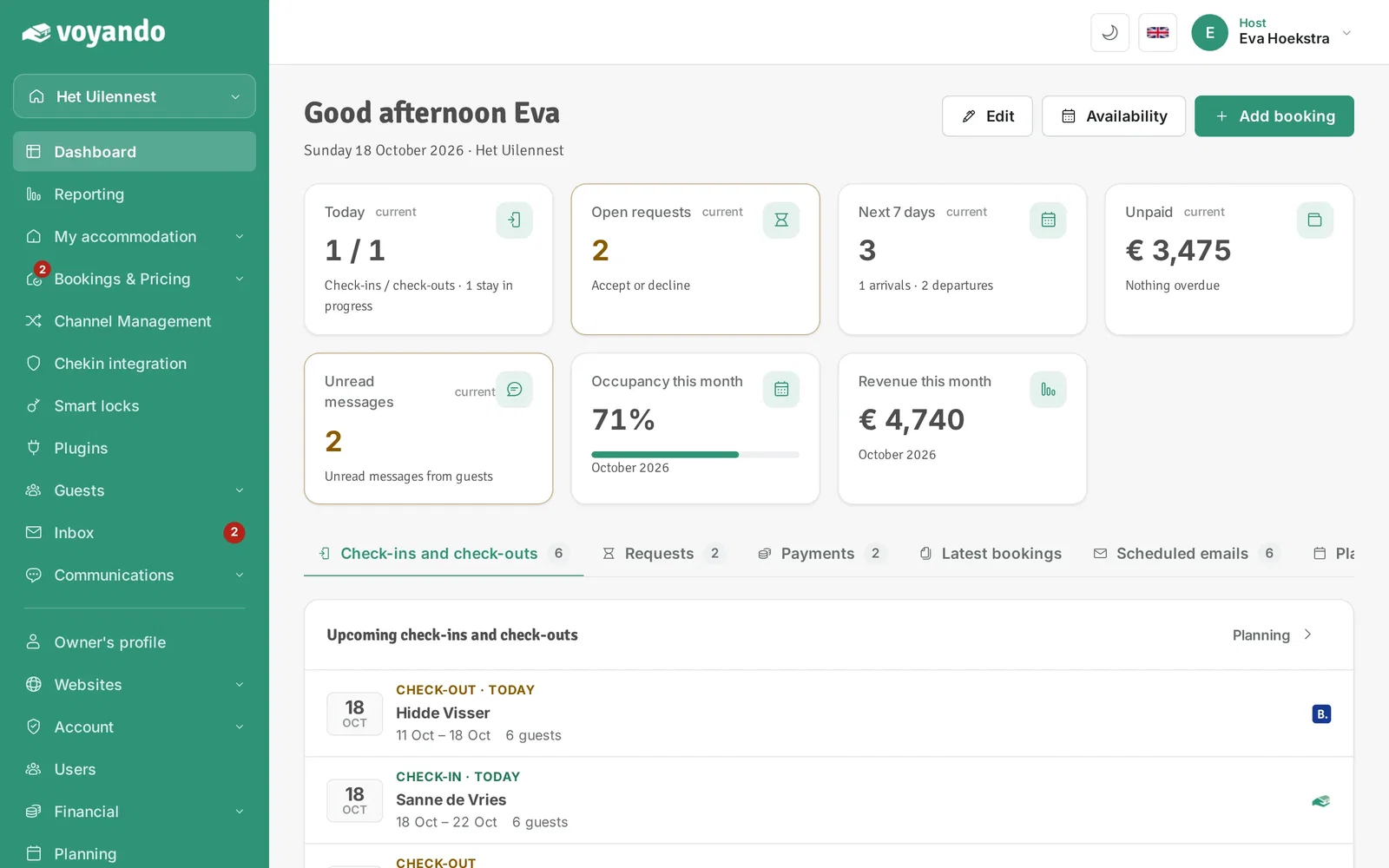
  1. Step 1: Go to your dashboard.

    How do I sync an external calendar manually? – step 1: Go to your dashboard.
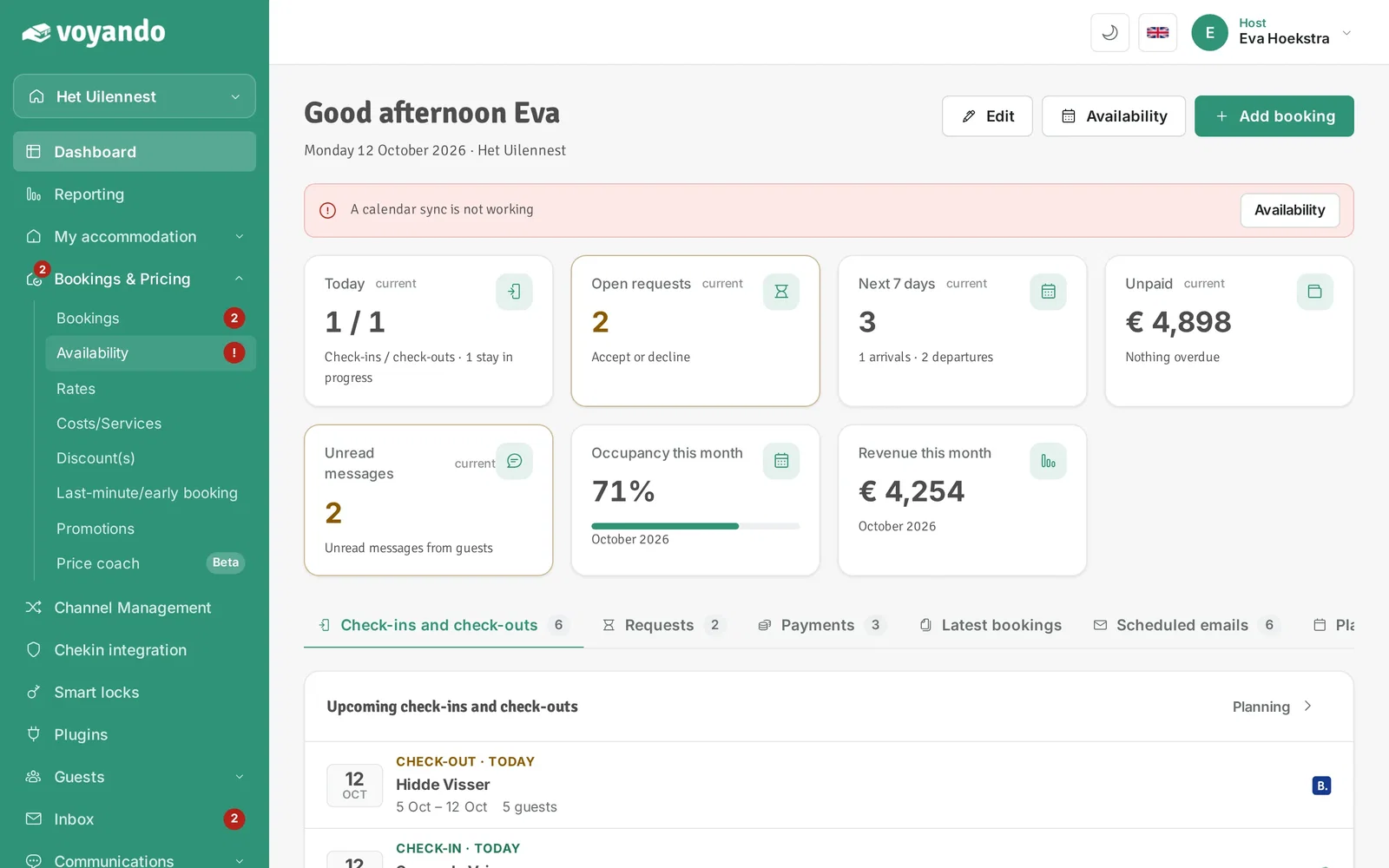
  2. Step 2: Click Bookings & Pricing in the menu.
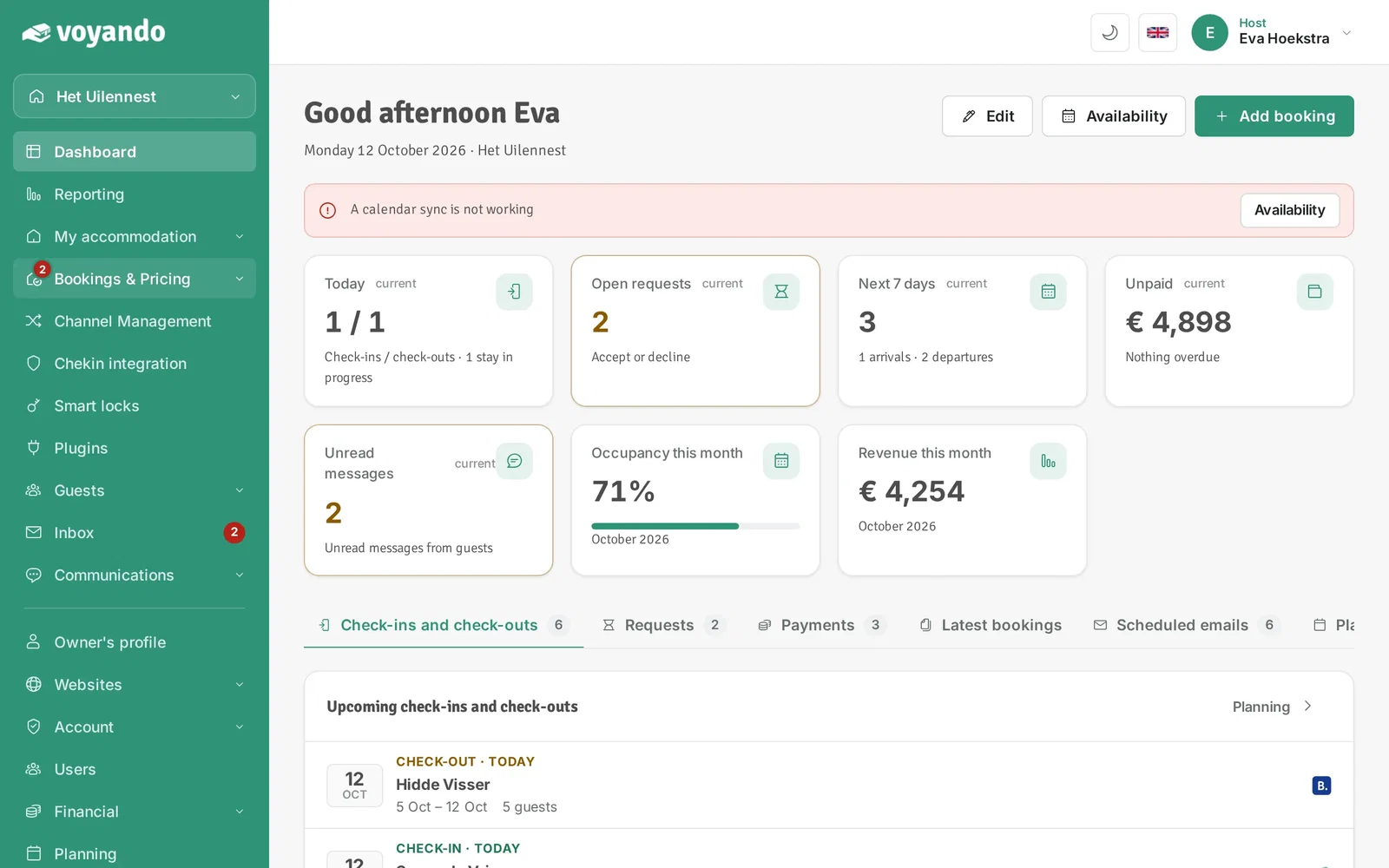
    How do I sync an external calendar manually? – step 2: Click Bookings & Pricing in the menu.
  3. Step 3: Click Availability.

    How do I sync an external calendar manually? – step 3: Click Availability.
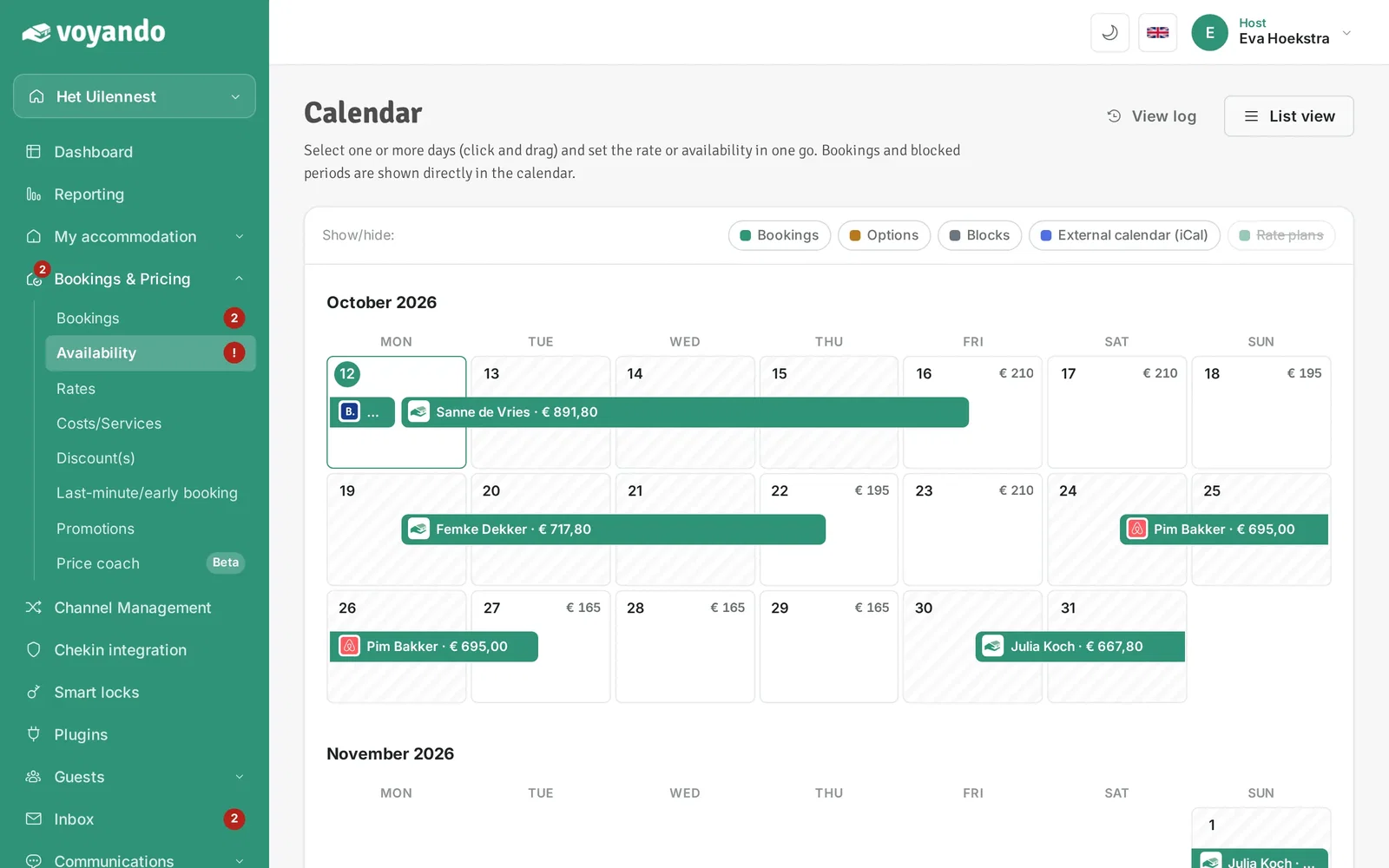
  4. Step 4: Click List view.

    How do I sync an external calendar manually? – step 4: Click List view.
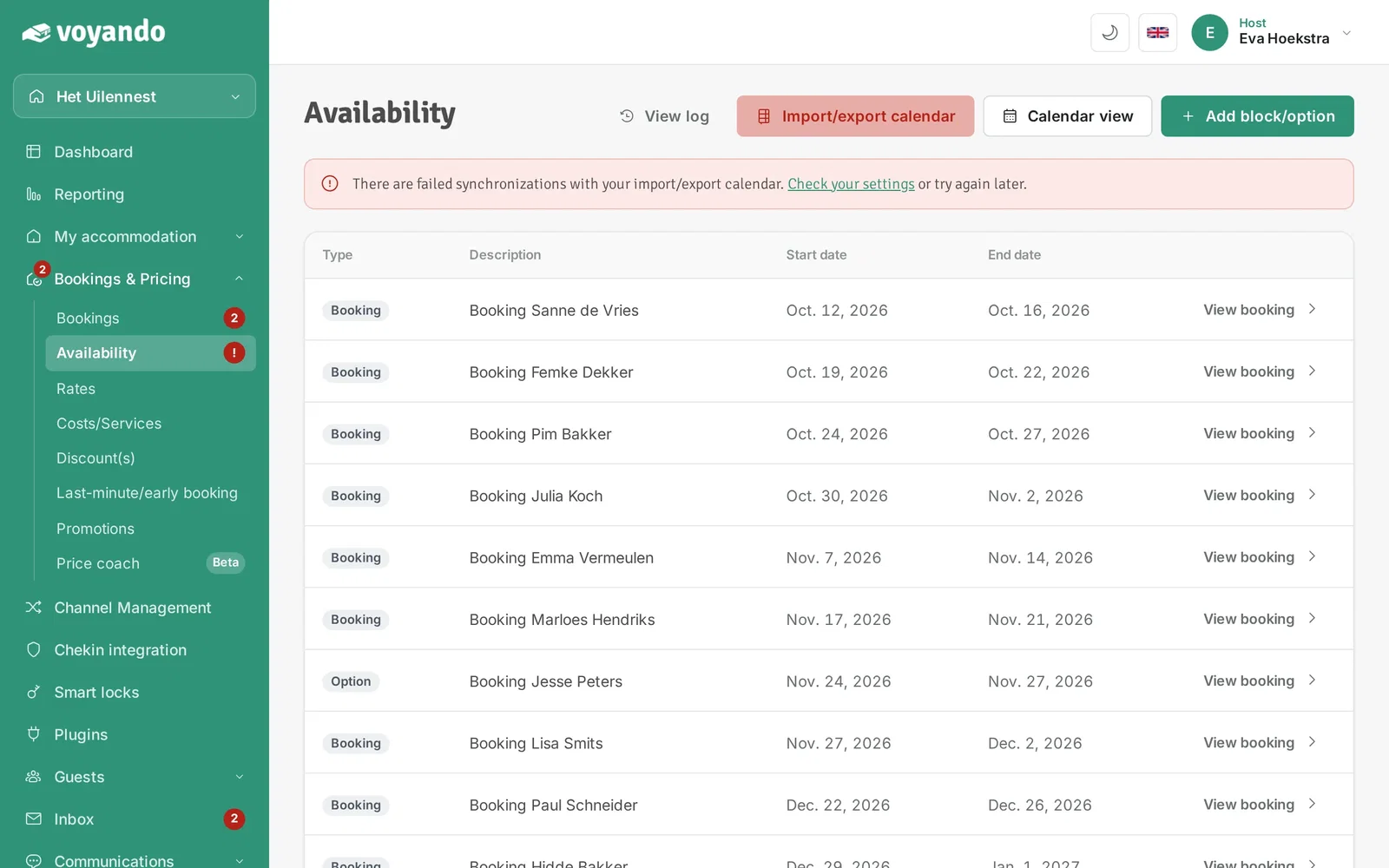
  5. Step 5: Click Import/export calendar.

    How do I sync an external calendar manually? – step 5: Click Import/export calendar.
  6. Step 6: Under External calendars you see the status and last sync of every linked calendar.
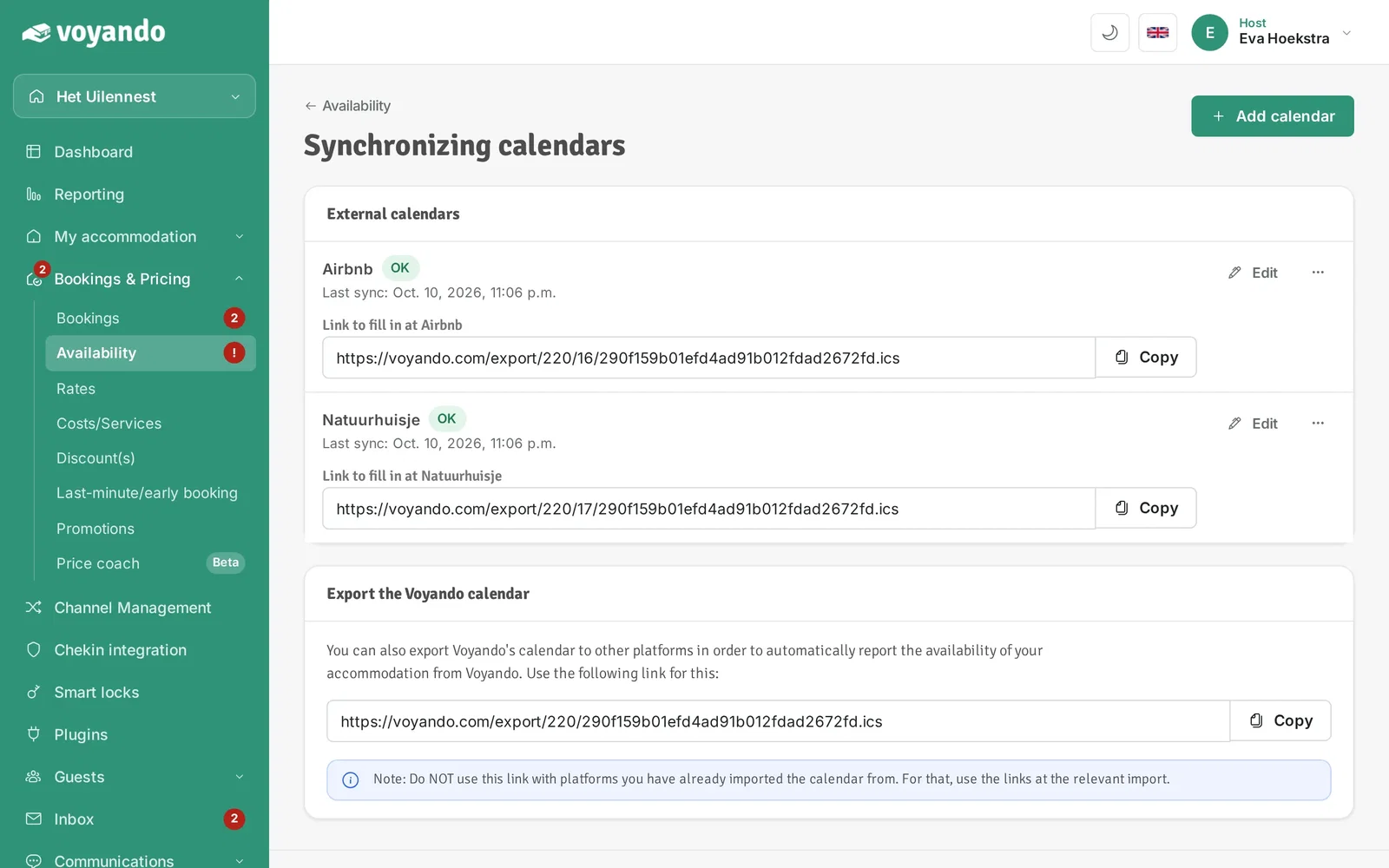
    How do I sync an external calendar manually? – step 6: Under External calendars you see the status and last sync of every linked calendar.
  7. Step 7: Click the three dots next to the iCal link in question.
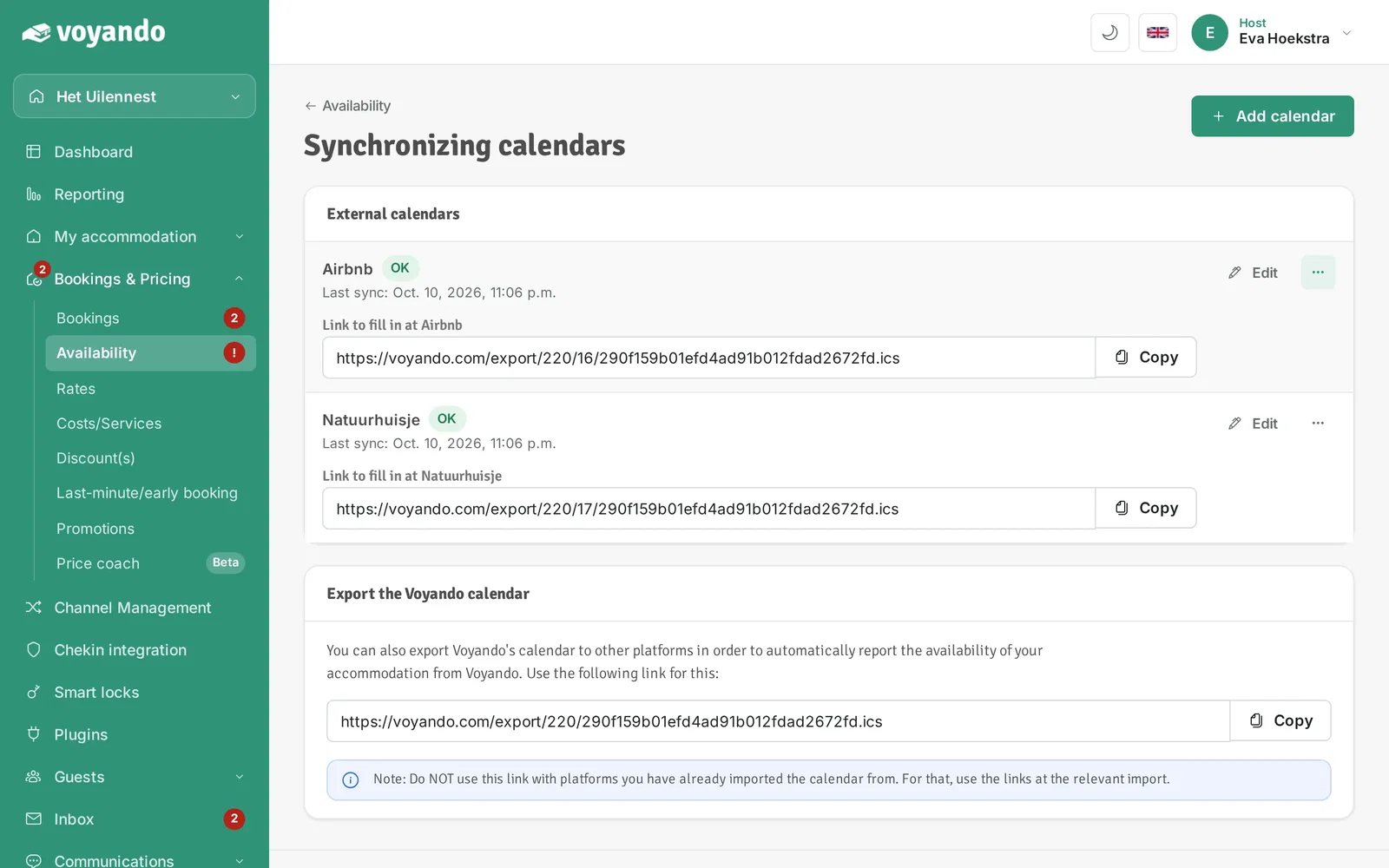
    How do I sync an external calendar manually? – step 7: Click the three dots next to the iCal link in question.
  8. Step 8: Click Sync now. Voyando fetches the external calendar again right away.
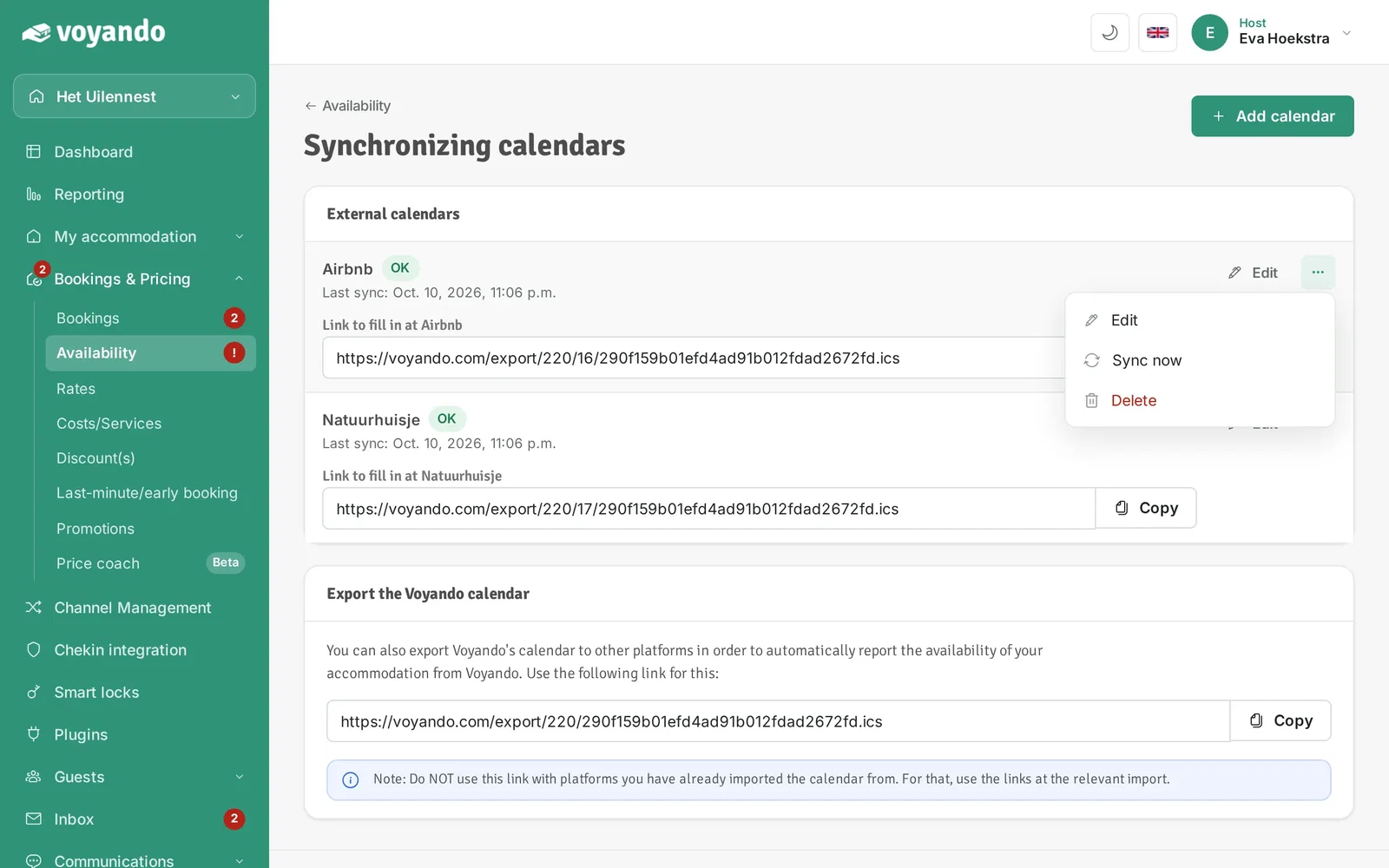
    How do I sync an external calendar manually? – step 8: Click Sync now. Voyando fetches the external calendar again right away.
Try for free Demo
Free webinar

Earn up to 15% more with your accommodation

Watch our free webinar with practical tips for more direct bookings and a better price. Leave your email address and you can watch straight away.

Or try Voyando right away 30 days free.